Plugin
Updated
WP Sheet Editor - JetEngine
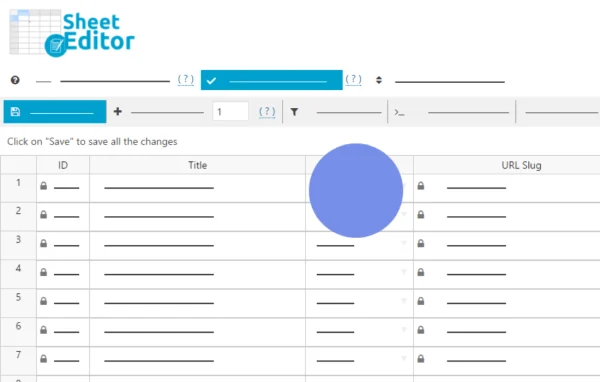
This plugin, made by WP Sheet Editor, connects JetEngine custom post types to a spreadsheet view. You can export your posts to CSV or Google Sheets, edit many of them at once, and import the changes or brand new entries back into WordPress.
- Version
- 1.1.4
- Released
- Sep 23, 2025
- Developer
- WP Sheet Editor
- Type
- WordPress plugin
- Licence
- GPL
- Included in
- Every plan, or $2.39 a year on its own
What’s new in WP Sheet Editor - JetEngine 1.1.4
Version 1.1.4 · Sep 23, 2025
Latest
What it does
Sites built on JetEngine often hold a lot of dynamic content spread across custom post types, fields and meta boxes. Updating that content one post at a time in the WordPress dashboard is slow and repetitive. This integration lays your posts out in a table so you can see all the data together and change many items in a single pass. It also handles the custom fields and meta boxes created through JetEngine, so those values are included and editable alongside the standard post data.
The workflow runs in both directions. You export a custom post type to a CSV file or to Google Sheets, make your edits or add new rows, then import the file back. During import you can update existing posts or create fresh ones. That makes it handy for routine bulk updates, for keeping a backup copy of your data, and for moving dynamic content from one WordPress site to another. Working in Google Sheets also lets a team edit the same data together.
Best for
- Sites with large JetEngine custom post type collections
- Agencies migrating dynamic content between WordPress sites
- Teams editing site content together in Google Sheets
Features
Export to CSV
Export any custom post type created with JetEngine to a CSV file, ready for bulk editing in a spreadsheet or for keeping as a data backup.
Google Sheets export
Send your JetEngine custom post types straight to Google Sheets, where several people can work on the same content together in the cloud.
Import edits back
Bring your edited spreadsheet back into WordPress in one process, applying all of your changes to the matching posts on the site.
Create new posts by import
Add new rows to your spreadsheet and import them to create fresh custom posts, or choose to update existing items instead.
JetEngine fields and meta boxes
Custom fields and meta boxes built with JetEngine are included in the export and remain editable, so complex post data comes along with each item.
Spreadsheet bulk editing
Edit hundreds or thousands of custom posts at once in a familiar spreadsheet view instead of opening each post in the dashboard.
Table overview of data
See all of your custom post data in table form, which saves you from clicking through back-end screens to find and compare values.
Content migration between sites
Export dynamic content from one WordPress site and import it into another, which suits moving JetEngine content across multiple sites.
Questions about WP Sheet Editor - JetEngine
Does it handle the custom fields I built in JetEngine?
Yes. The integration supports the fields and meta boxes created through JetEngine, so those values appear in the export and can be edited in the spreadsheet before you import them back into WordPress.
Can I add new posts from the spreadsheet, or only edit existing ones?
You can do both. When importing, you can update posts that already exist on your site or create new entries from rows you added in the CSV file or Google Sheet.
Can I use it to move content from one site to another?
Yes. You can export JetEngine custom post types from one WordPress site and import them into another, which makes it useful for migrating dynamic content across multiple sites.
Do I have to use Google Sheets?
No. You can export to a CSV file and edit it in any spreadsheet program, or use Google Sheets if you want cloud access and collaborative editing with your team.
Is WP Sheet Editor - JetEngine free?
The code of WP Sheet Editor - JetEngine is licensed under the GPL, so anyone may use, change and share it. GPL Feast is a paid service: a plan or a single purchase gives you the download and automatic updates. The developer's own support, licence key and online services are not included.
Which version of WP Sheet Editor - JetEngine is this?
Version 1.1.4, released Sep 23, 2025. New versions appear here when the developer publishes them, and members get them as automatic updates.
How do I update WP Sheet Editor - JetEngine?
Install the free GPL Feast Updater on your site and connect it with your API key. It installs new versions of WP Sheet Editor - JetEngine automatically and keeps a backup, so you can roll back.
More from WP Sheet Editor