Plugin
Updated
Countdown timer
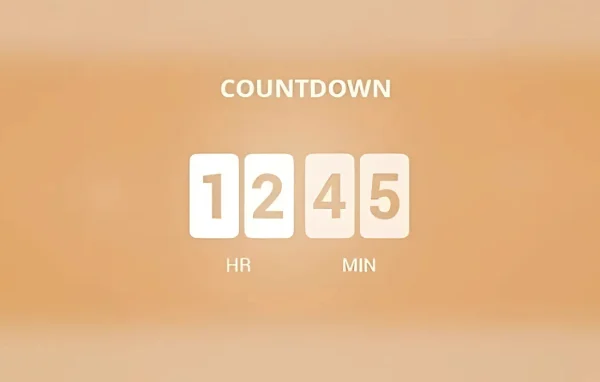
The EventOn Countdown Add-on by Ashan Jay is a plugin that extends the EventON calendar with real-time countdown timers. It shows visitors how long remains before an event starts or ends, then lets you decide what happens to the listing once the timer runs out.
No further updatesEventon Addons are no longer updated. You will only get the version that is listed below.
- Version
- 1.2
- Released
- Oct 4, 2024
- Developer
- EventON
- Type
- WordPress plugin
- Licence
- GPL
- Included in
- Every plan, or $4.79 a year on its own
What’s new in Countdown timer 1.2
Version 1.2 · Oct 4, 2024
Latest
- FixedEvent edit yes no button code
- FixedEvent count down to use UTC offset time by default
- FixedCompatibility with EventON 4.7 language
- ImprovedMoved count down event edit settings to a lightbox for fast loading
What it does
Event calendars tend to fill up with listings that have already started or finished, and visitors can click into events they can no longer join. This add-on places a ticking countdown on your EventON events so people can see at a glance how much time is left. It suits organizers running fundraisers, entertainment shows, sports sessions, conferences and similar events who want their calendar to reflect what is still open.
You switch the countdown on for individual events from the event editor, where the settings open in a lightbox. Each timer can expire at the event start, at the event end or at a custom offset, and it uses UTC offset time by default. When time is up, the event can be hidden, made unclickable, blacked out or, with the Tickets add-on, marked as sold out. It also works alongside the Slider and Filters Plus add-ons.
Best for
- Sites already running the EventON calendar plugin
- Nonprofits promoting fundraisers and donation deadlines
- Organizers of shows, sports sessions and conferences
Features
Real-time countdown timers
Displays a live, ticking countdown on EventON events so visitors can see exactly how much time remains before the moment you choose.
Flexible expiration timing
Set each timer to expire when the event starts, when it ends, or at a custom time offset that fits your schedule.
Hide or disable expired events
After the countdown finishes, you can hide the event from the calendar or make it unclickable so visitors focus on active listings.
Black out expired listings
Keep finished events visible but blacked out, which signals clearly that they are no longer available.
Sold out marking with Tickets
When used with the EventON Tickets add-on, an expired countdown can mark the event as sold out.
Per-event toggle
Turn the countdown on or off for each event individually from the event editor, with settings shown in a lightbox.
Works with Slider and Filters Plus
Runs alongside the EventON Slider and Filters Plus add-ons, so countdowns can appear with slider displays and filtered event lists.
UTC offset timing
Countdowns use UTC offset time by default, helping timers line up with the event times set in your calendar.
Countdown timer older versions
- 1.1Apr 18, 20232 new, 4 fixes
Members and buyers of this product can download older versions.
Questions about Countdown timer
Do I need EventON for this to work?
Yes. This is an add-on for the EventON calendar plugin, and the countdown timers appear on events you create in EventON. You enable the timer for each event from the EventON event editor.
What happens to an event when the countdown ends?
You choose the action. The event can be hidden from the calendar, made unclickable, or blacked out. If you also use the Tickets add-on, the event can be marked as sold out once the timer expires.
Can the timer count down to something other than the start time?
Yes. Each countdown can expire at the event start, at the event end, or at a custom time offset, so you can close a listing earlier or later than the event itself.
Does it work with other EventON add-ons?
It works with the Tickets, Slider and Filters Plus add-ons. Tickets adds the sold out option on expiry, while Slider and Filters Plus let countdowns sit within slider displays and filtered event lists.
Is Countdown timer free?
The code of Countdown timer is licensed under the GPL, so anyone may use, change and share it. GPL Feast is a paid service: a plan or a single purchase gives you the download. The developer's own support, licence key and online services are not included.
Which version of Countdown timer is this?
Version 1.2, released Oct 4, 2024.
More from EventON