
Plugin
Updated
EventOn Seats
EventOn Seats is a WordPress plugin by Ashan Jay that extends the EventON calendar with interactive seating charts. Attendees choose their exact seats on a map and buy tickets for them, while organizers build and price the layout in a drag-and-drop editor.
No further updatesEventon Addons are no longer updated. You will only get the version that is listed below.
- Version
- 1.3
- Released
- Sep 10, 2025
- Developer
- EventON
- Type
- WordPress plugin
- Licence
- GPL
- Included in
- Every plan, or $6.39 a year on its own
What’s new in EventOn Seats 1.3
Version 1.3 · Sep 10, 2025
Latest
- NewSupport for more round edge options for unassigned and area of interest
- NewNew preloading animation
- NewSupport for round table seating
- NewOption to make seat sections have no drop shadow
- NewSection positioning input fields for precise section positioning
- NewArea of interest section width and height input fields
- NewSeat edit options to show as side panel
- FixedPurchased seat check before seat purchase
What it does
Selling tickets for a seated event gets messy when buyers cannot see where they will sit. This add-on puts a seat map right on the event page so visitors can pick a specific seat, see what is still available and add it to their cart. It works alongside EventON Tickets and WooCommerce, so the purchase runs through the checkout you already use. Seats left idle in a cart are released after a set timeout (10 minutes by default), which keeps them from being held by people who never finish checkout.
On the admin side, you build each layout in a seat map editor. You can upload your venue's floor plan as a background, add as many sections as you need, set prices per seat or per section, and mark seats as reserved or handicap accessible. Booths cover vendor spaces, food carts or cabins, and unassigned sections handle general admission areas. Round table seating, color-coded legends, JSON import and export, and event duplication with seat maps intact make it practical for venues that run many events.
Best for
- Theaters and performance venues selling assigned seats
- Conference and seminar organizers running EventON calendars
- Trade shows renting vendor booths and spaces
Features
Interactive seat map
Customers view a seating chart on the event page, pick the exact seats they want and buy tickets for them, with zoom and pan on desktop and mobile.
Drag-and-drop map editor
Create and edit seat maps in an admin editor, with input fields for precise section positioning and seat edit options that can open in a side panel.
Custom venue backgrounds
Upload your own venue layout image as the map background so the chart matches the room attendees will walk into.
Per-seat and section pricing
Set a separate price for an individual seat or for an entire section, so front rows and back rows can cost different amounts.
Reserved and accessible seats
Hold seats for VIP guests or organizers so they stay off general sale, and mark seats as handicap accessible for attendees who need them.
Booths and unassigned sections
Add booths for trade show vendors, food carts or cabins, and create unassigned sections where attendees choose any spot within a limited capacity.
Cart timeout for seats
A configurable idle duration, 10 minutes by default, automatically releases seats when a customer abandons checkout, returning them to the map.
Import, export and duplication
Export seat map JSON data for bulk edits or reuse, and duplicate events with their seat maps intact to set up recurring shows faster.
EventOn Seats older versions
- 1.2.9Jun 10, 20256 fixes
- 1.2.8Nov 4, 20241 new, 1 improvement, 1 fix
- 1.2.7Oct 7, 20241 new, 6 fixes
- 1.2.6May 31, 2024
- 1.2.5Apr 17, 2024
- 1.2.4Mar 9, 2024
- 1.2.3Aug 25, 2023
- 1.2.2Aug 12, 2023
- 1.2.1Jul 24, 2023
- 1.1.1Apr 18, 2023
Members and buyers of this product can download older versions.
Questions about EventOn Seats
What do I need to run this add-on?
It is an extension for the EventON calendar plugin and works with the EventON Tickets system and WooCommerce. Ticket purchases made from the seat map go through your WooCommerce checkout.
Can I sell booth space as well as seats?
Yes. Booths can represent trade show vendors, food carts or cabins. You can also create unassigned sections for general admission areas with a capacity limit and their own pricing.
What stops people from holding seats without paying?
The add-on has a configurable cart idle timeout, set to 10 minutes by default. If a customer leaves seats in the cart past that time without checking out, the seats are released and become available again.
Does it work with check-ins at the door?
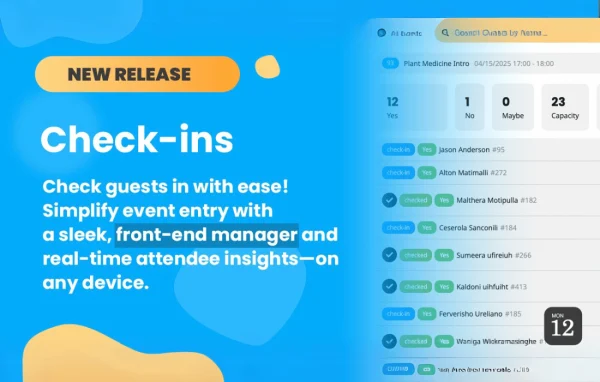
Seat assignments can sync with QR code check-in processes, so staff can match attendees to their seats as they arrive at the event.
Is EventOn Seats free?
The code of EventOn Seats is licensed under the GPL, so anyone may use, change and share it. GPL Feast is a paid service: a plan or a single purchase gives you the download. The developer's own support, licence key and online services are not included.
Which version of EventOn Seats is this?
Version 1.3, released Sep 10, 2025.
More from EventON