Plugin
Updated
Full cal
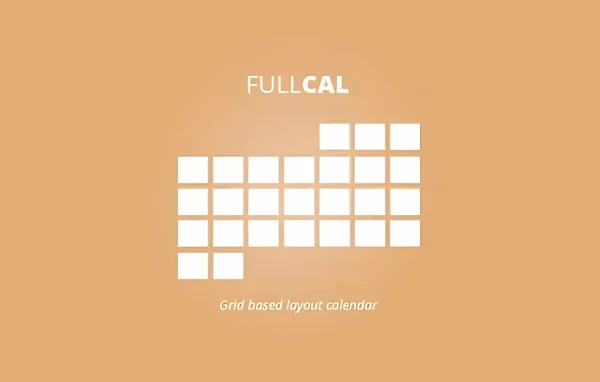
The EventOn Full Cal Add-on by Ashan Jay is a plugin that extends the EventON calendar with a full-page monthly grid view. Visitors can move between months, preview events by hovering over dates and open a lightbox with each day's full event list.
No further updatesEventon Addons are no longer updated. You will only get the version that is listed below.
- Version
- 2.2.3
- Released
- Jul 23, 2025
- Developer
- EventON
- Type
- WordPress plugin
- Licence
- GPL
- Included in
- Every plan, or $3.99 a year on its own
What’s new in Full cal 2.2.3
Version 2.2.3 · Jul 23, 2025
Latest
- FixedFilter items not populating the grid
- FixedLoad all events of the month on load not working
What it does
A plain list of events works for a handful of dates, but once your schedule fills up, people want to see the whole month at once. This add-on gives your EventON calendar a traditional grid layout, so visitors can find events by date in a format they already know. It suits festivals, conferences, community gatherings, ticketed webinars and any organization that runs a busy schedule and wants it easy to scan.
The grid adds several ways to read your schedule. Hovering over a date shows up to three color-coded events and a count of how many fall on that day, while clicking opens a responsive lightbox listing everything for that date. A heat map shades busier days darker, and you can show event details next to the grid on full-page layouts. You build the display with the shortcode generator inside EventON, adjust colors and style in the EventON settings, and pair it with add-ons such as Event Slider, Filters Plus and Event Countdown.
Best for
- Sites already running the EventON calendar plugin
- Festival, conference and community event organizers
- Businesses hosting regular webinars or ticketed events
Features
Monthly calendar grid
Displays your EventON events in a classic monthly grid, so visitors can find what is happening on any date using a familiar calendar layout.
Month to month navigation
Visitors can move forward and back between months to browse upcoming events without leaving the calendar page.
Hover previews and day counts
Hovering over a date shows up to three color-coded events along with the total number of events scheduled for that day.
Lightbox event details
Clicking a date opens a responsive lightbox window that lists all events for that day, with details shown in a popup on the same page.
Events heat map
Busier days appear with darker shading and quieter days with lighter shades, giving visitors a quick visual read of the schedule.
Events beside the grid
On full-page layouts, event details can be displayed next to the calendar grid for a tidy arrangement that makes good use of space.
First day focus option
You can set the calendar to highlight the first day of each month automatically whenever a visitor navigates to a new month.
Shortcode generator and styling
Configure the display through the shortcode generator built into EventON, and change calendar colors and style from the EventON settings to match your site.
Full cal older versions
- 2.2.1Jul 21, 20252 fixes
- 2.2Jun 23, 20252 new, 1 improvement, 3 fixes
- 2.1.3Jan 20, 20251 improvement, 3 fixes
- 2.1.2Mar 24, 2024
- 2.1.1Jan 30, 2024
- 2.1Jan 19, 2024
- 2.0.5Jul 9, 2023
- 2.0.4Apr 18, 2023
Members and buyers of this product can download older versions.
Questions about Full cal
Do I need EventON to use this add-on?
Yes. Full Cal is an add-on for the EventON calendar. It changes how your EventON events are displayed by adding a full-page monthly grid, and its settings and shortcode generator live inside EventON.
How do visitors see event details on the grid?
Hovering over a date shows up to three color-coded events and a count of the day's events. Clicking the date opens a responsive lightbox that lists every event for that day, so visitors can read details without leaving the page.
Can I match the calendar to my site's design?
Yes. You can adjust the calendar's style and colors from the EventON settings. The shortcode generator also lets you control how the Full Cal display behaves, including options like highlighting the first day of each month.
Does it work with other EventON add-ons?
The add-on is described as compatible with EventON add-ons such as Event Slider, Filters Plus and Event Countdown, so you can combine the grid view with filtering, sliders and countdown timers.
Is Full cal free?
The code of Full cal is licensed under the GPL, so anyone may use, change and share it. GPL Feast is a paid service: a plan or a single purchase gives you the download. The developer's own support, licence key and online services are not included.
Which version of Full cal is this?
Version 2.2.3, released Jul 23, 2025.
More from EventON